
The file manager that knows where you're working.
Folders used by your shells, editors, and coding agents appear in the sidebar, one keystroke away. Dual panes and function keys cover everyday file operations.
A native macOS file manager in the commander tradition, with two panes, tabs, and an editable breadcrumb path bar. The keys Finder taught you work here: ↩ renames, ⌘O opens, ⌘⌫ trashes. So do the classic commander keys: F5 copies and F6 moves. ⌘K connects to your servers, and ⇧⌘Space opens Ask Inode, which turns a plain-language request such as "compress the selected files" into a command using Apple Intelligence on your Mac.
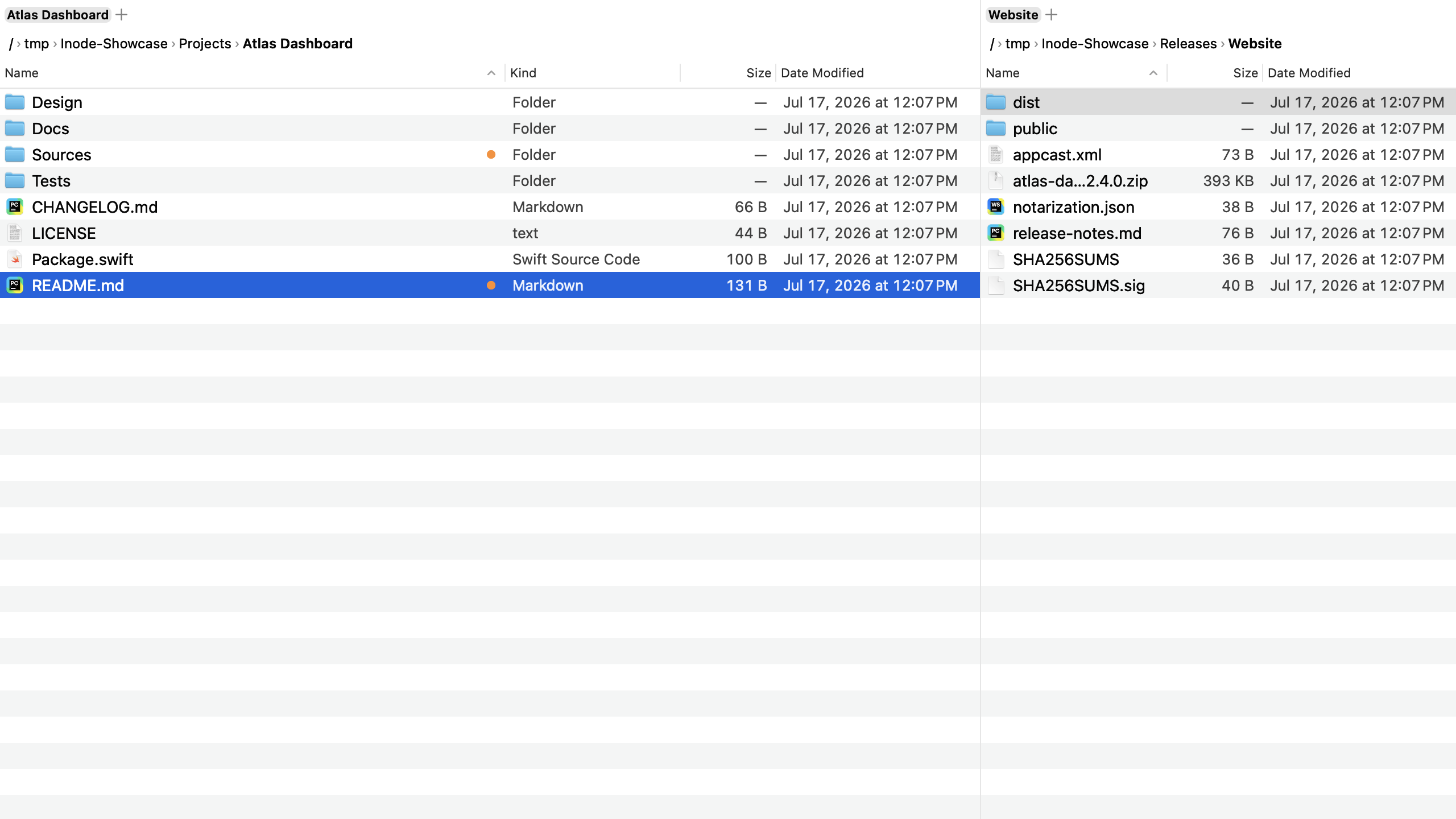
Your current working directories are in the sidebar.
The sidebar's Active section reads the working directories of running processes. Each configured shell, editor, or coding agent appears beside its folder, and ⇧⌘G jumps straight to it.
Agents & editors
claude, codex, nvim, hx: long-running tools show up with their working directory the moment they start. The roster is yours to configure (smartViews.processNames).
Shells & tmux
Inode lists each running zsh, bash, and fish shell by TTY recency, along with tmux sessions and their working directories.
Finder windows
Folders open in Finder appear as places in Inode. Wherever you were browsing, you can keep going with two panes.
Recents & favorites
Go Anywhere (⇧⌘G) fuzzy-searches recent folders, favorites, and process directories in one list. Literal paths work too.
Type what you mean.
⇧⌘Space opens Ask Inode. It turns one sentence into a selection, filter, or file operation. Apple's on-device foundation models parse the request, and all processing stays on your Mac.
Typed commands you can inspect
The model returns a typed command with a verb and criteria. Inode checks those fields against your request before running it. Destructive requests require confirmation. File operations use the same queue as F5 and F8, including its ⌘Z undo support.
Apple Intelligence, on this Mac
Parsing runs in the on-device models; the request never leaves your Mac. On Macs without Apple Intelligence the menu item simply grays out and says why; every other feature keeps working.
Remote servers, in the same two panes.
⌘K lists your SSH hosts and saved connections; one keystroke later the pane shows the server. Browse, copy with F5, rename, and delete over SFTP, WebDAV, FTP, SMB, and rclone, with the same progress and conflict handling as local operations.
Your SSH config, understood
SFTP hosts come straight from ~/.ssh/config, read the way ssh reads it: Include files and variable expansion land correctly. Point a connection at a specific private key when you need one.
Add your own
Settings → Connections stores SFTP, WebDAV, FTP, SMB, and rclone servers, with no SSH config required. Test a connection before you save it.
Passwords, handled
Save a password to the macOS Keychain, or type it when you connect. Saved passwords stay bound to the server they were saved for.
In the sidebar
Every server is a sidebar entry: click to connect, eject to end the session. A connected server browses like any other folder.
Every folder, exactly the way you left it.
Switch a folder to icons, sort it by date, or show hidden files. Inode restores those settings when you return to the folder. Pin the view to write them to a file you can commit.
Remembered automatically
Unpinned views live in a central store keyed by path. Reopen the folder later, and Inode applies the same settings.
Pin a view to the folder
"Pin View to Folder" writes .inode.jsonc into the
directory itself, and only when you say so; your repos stay
free of surprise files. "subdirs": true carries
the view down the whole tree.
// .inode.jsonc: this folder, as icons, newest first
{
  "view": "icons",
  "sort": "modified",
  "showHidden": true,
  "subdirs": true
}
Commit it. Everyone who clones the repo, and every Mac you work on, opens that folder the same way.
Move between Finder and Inode.
Open a Finder window's folder in either pane, or reveal an Inode selection in Finder when you want the desktop view.
Finder's windows, in your sidebar
Whatever Finder has open is a place in Inode, one click or keystroke away. Go › Import Finder Favorites… brings over the folders from Finder's sidebar.
Same Trash, same Quick Look
F8 uses the system Trash, so ⌘Z brings files back. Space previews with Quick Look, thumbnails and all.
Reveal and return
⌘⌥R reveals the selection in Finder. Drag & drop works in both directions.
Your working tree, in the file list.
Badges where you look
Modified, untracked, and added marks sit next to file names and
aggregate onto directories, so a dirty subtree is visible from the
top. One config switch (general.showGitStatus) turns
it off.
Repo-friendly artifacts
Pinned views (.inode.jsonc) are plain JSONC with
relative paths that you can diff and commit. Your file
manager settings travel with the repository.
The keys you already know.
Finder's shortcuts work out of the box, the orthodox commander keys stay on as aliases, and every binding can be changed in the config. The command palette reaches every action.
One line in ~/.config/inode/config.jsonc
("vimKeybindings": true) adds
h/j/k/l, gg/G,
dd, yy, p, and
/ for filtering on top of the defaults. It's off by
default, and your own bindings always win.
More tools for daily file work.

Preview & edit in the pane
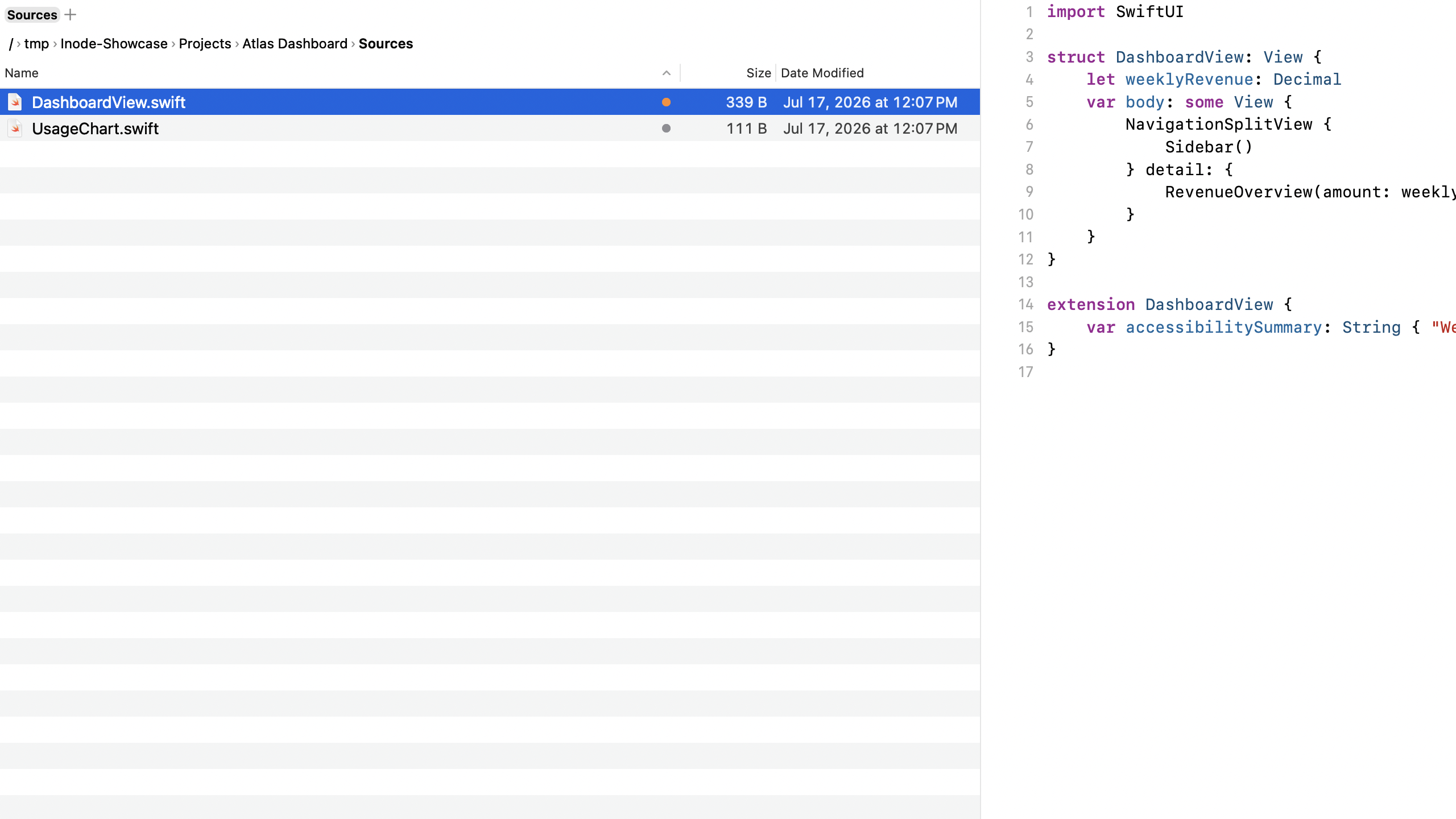
⌘⌥P turns the other pane into a live preview; text files are editable right there and save through the same undo-friendly queue.
Archives are folders
Enter zip, tar, and 7z like directories. F5 extracts; the system's bsdtar does the work.
Copy progress and conflict handling
Inode uses APFS clones when possible and reports byte-accurate progress. You can resolve each conflict, cancel an operation, or leave it queued.
Compare & sync
⇧F2 marks unique, newer, and older across panes; mirror one-way when you're ready.
Batch rename
Patterns like [N], [C:1:1:3], and regex find & replace, with a live preview before anything touches disk.
Embedded terminal
F4 opens a real terminal that follows the active pane's directory.
Custom commands
Config-defined shell commands with $FILES, $DIR, and $OTHER_DIR appear in the palette and can be bound to keys.
Open with any compatible app
The full "Open With" submenu lists every app that can handle the selection, with the default app first.
Visor mode
A global hotkey summons Inode over any app, Yakuake-style, from the top edge.
Pin & recall
Keep Inode floating on top while you work in another app; the Recent Folders picker jumps you back.
Info panel
⌥⌘I: preview, metadata, and on-demand folder sizes.
Disk-usage treemap
Select a folder in Preview Mode for a treemap of what's inside. Switch between size and file count, and click a tile to descend. Dotfiles stay hidden until you toggle them in.
List columns
Created, last-opened, and added dates, kind, extension, tags. Each pane remembers visibility, order, and width; every header sorts. Send via Mail sits in the context menu.
Command-line companion
Settings → General installs the inode command: inode <path> opens a location in the app, with flags for the Shelf, panes, and the visor. inode:// links do the same from other apps.
Config as text
Inode reloads config.jsonc when it changes. The file supports comments and stores keybindings, favorites, commands, and appearance settings in a diffable format.
Buy once. Keep it forever.
One purchase buys a year of updates and software that stays yours when the year is over.
Yours, outright
One purchase covers three Macs. After you enter the key, Inode runs offline. Licensing does not use DRM or require an account.
A year of updates
Every release for twelve months from purchase, features and bug fixes alike. Critical security fixes keep shipping beyond that year.
The installed version does not expire
When your update year ends, the installed version remains active on every Mac you licensed.
Renew at your pace
Another year of updates is €19 / $19, half the price of a new license. Renew whenever the current releases tempt you: skipping a year is fine, and picking it back up later is, too.
Get Inode.
Download it, press ⇧⌘G, and jump to one of your current working directories. The trial is free for 14 days. A license covers three Macs, costs €39 / $39 one time, and includes a year of updates; installed versions do not expire.
Get update news.
A few messages a year when a new version ships.
We use double opt-in and do not track you. Every message includes an unsubscribe link.


